where i can find the repository of this new variant?
Hey that’s crazy work! Will it have anti aliasing option or no? (Like enabling and disabling it like it is in Pencil2D.) Another thing is making the pencil sizes only integer numbers, I wonder if yours will have such an update.
And the last thing I’d ask, will it have the pen thing where you slide faster the lines will be thinner and stuff, like how someone draws with a graphics pen but as a mouse user we don’t have such features lol.
Great job out there
Release Nurture2D · nurture2d/nurture2d-Site · GitHub . the app is basically in beta right now,and the Repo holds outdated versions full of bugs and the “New Ui“, Don’t get me wrong,it has most of the current features, dark mode ,autoLine Fill etc. but lets just say there is a reason it went through a second revamp.but feel free to check out those versions for now. I think they Already have windows builds at https://nurture2d.pages.dev/ . Note that the sites Revamps is last on the list of things to do but to be expected.
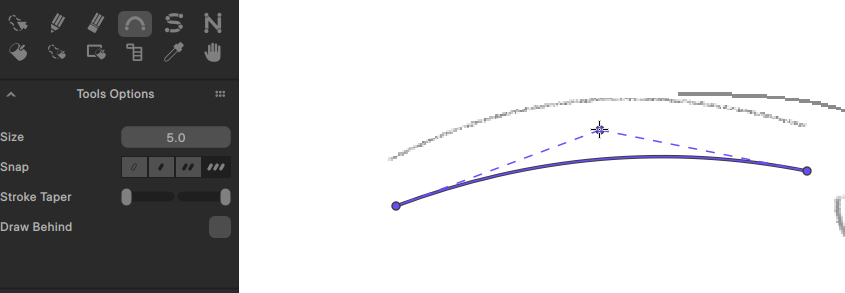
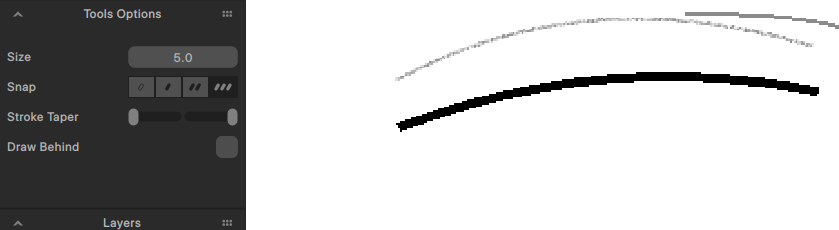
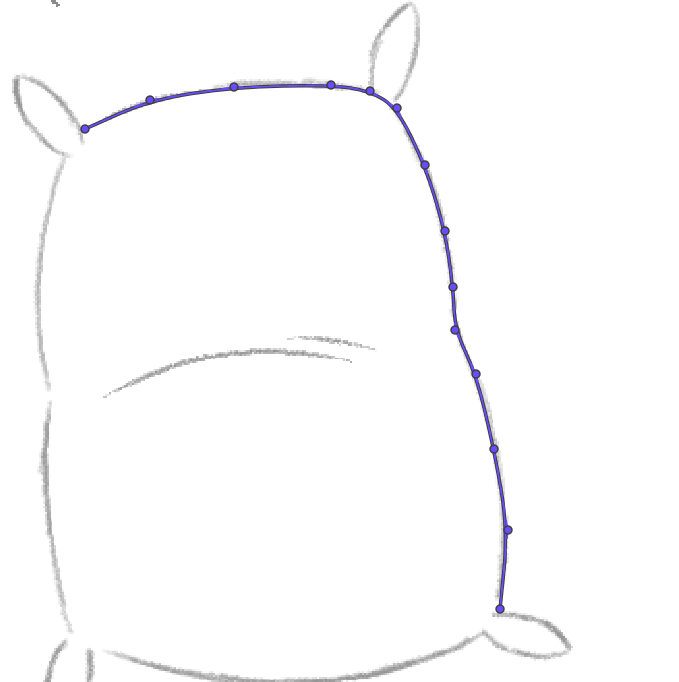
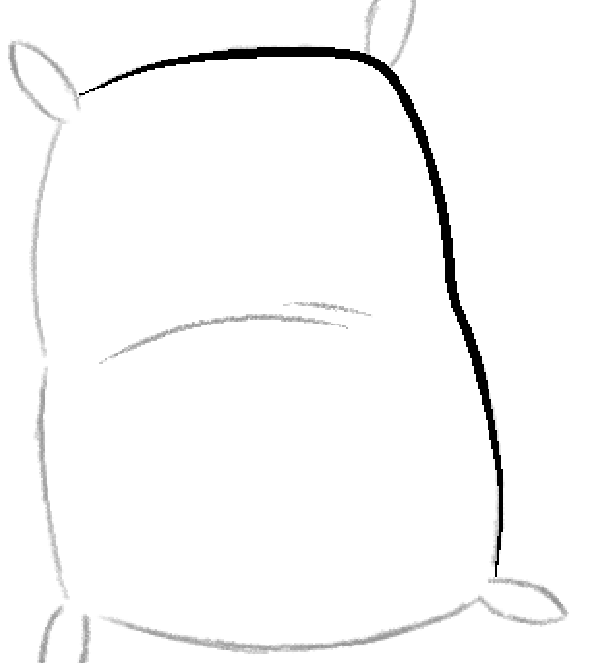
mostly no AA. its not an aversion to Anti-Aliasing , but the Fill tool and the pen tool were made for each other and need Alised lines to work reliably because of the algorithms behind them. “slide faster the lines will be thinner“ It does not have this, I think you’re talking about Brush Size taper Via speed. sketches are meant to be rough, and i made sure that for clean up mouse users have 3 Spline like tools. I’m not a fan of splines myself but i made sure to make these very intuitive, they have settings for start/End tip thinning. so you get the same result with cleaner lines. here are some examples.
there is a result with the feature in use.I used the curve Tool.but the Bspline tool might be what mouse user use most for cleanup. creating strokes via clicking on the canvas to create points(adjustable points),
i hope this is acceptable. As for Size. I’d like to keep floats(Decimal) values for fine control. but might limit the slider to slider to every 0.5 instead of every 1 whole number.what do you think.
Im a new user so i can only send one image per message,but here you go…
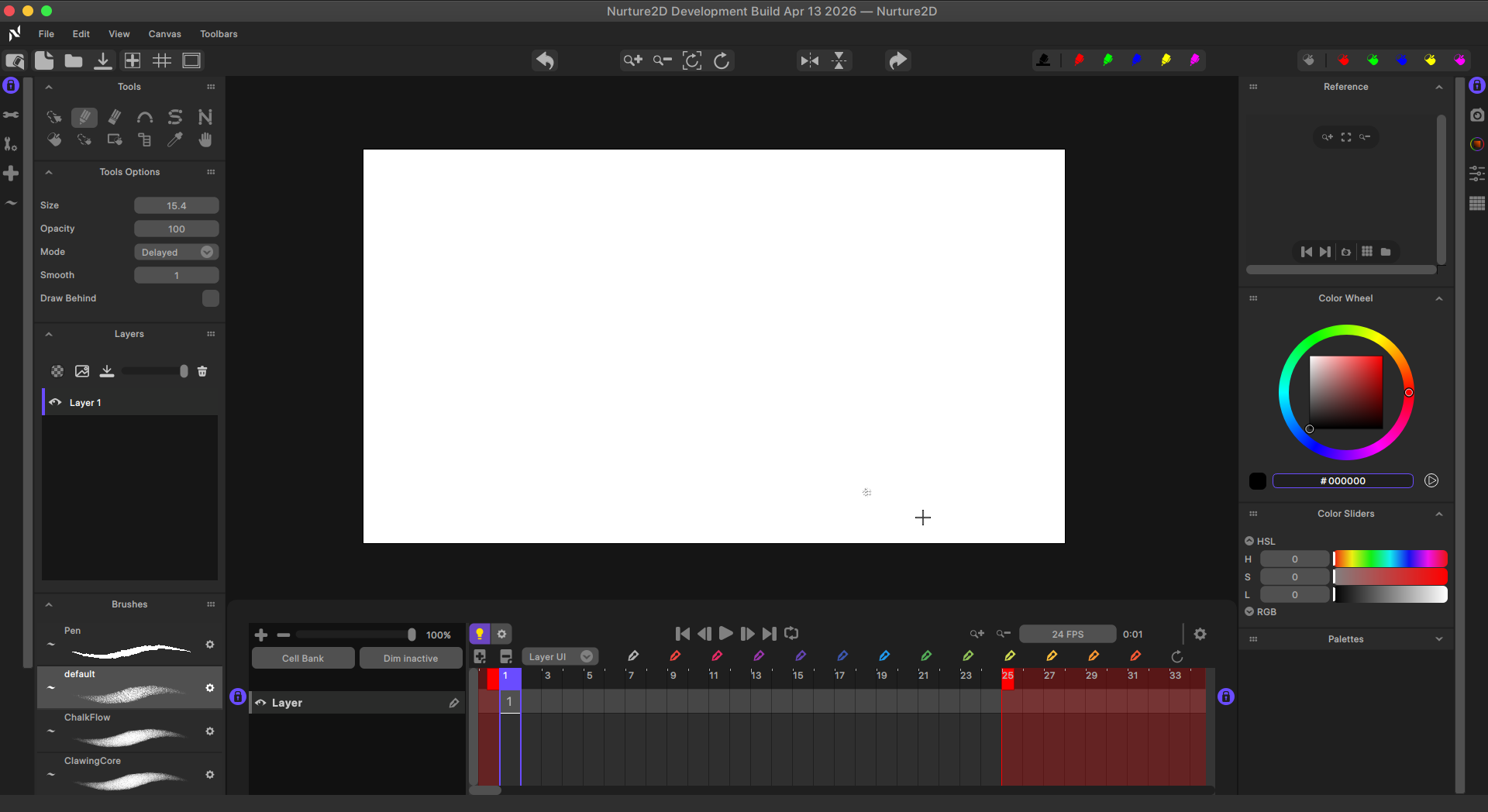
Im not sure about all the Features I implemented cause there are sooooo many.
But i’ll try to remember a list of it lol.
Note,these features are inspired by Krita/ Clip studio paint (which i used before coming to linux), and TvPaint.
UI——————————–:
A new dark theme, We have left the old software built in windowing system for our own custom rendering allowing us to do cool things like implementing our own docking logic as well as reliable auto show/hide side panels similar to Tvpaint and i guess CSP.
Pencil Tool——————————–:
Has A dedicated Brush Engine for sketching, all drawing tools now use a preset system which means that presets are usable across drawing tool.for example.Curve tool is not restricted to solid stroke but can have a Textured Pencil Stroke if desired.For performance of drawing I tried to look into Kritas brush engine to see how we could get responsive textured strokes.works pretty good in my opinion.
Curve Family——————————–:
Curve tool : Click ,Drag Release,adjust while in that released state,Confirm the shape. this is similar to clip studio paint curve tool.
Bspline Tool : simply click points to create your stroke. holding ctrl to confirm, and if we happen to confirm when clicking on the first point,the stroke closes creating a single connected shape.
Polyline : not much to say really.similar to the Bspline tool except its used to create straight lines.this is a default tool of pencil 2d i think.not sure.but it was revamped with the curve family features.
Drawing——————————–:
Post Stroke Correction for Pen preset(which is the preset for cleanup)
Draw behind mode.Pressure for Size and opacity Individually with pressure Curve Editors for each.
You also have new drawing modes,:
delayed - smooths the stroke being your cursor with a delay based on your specified distance/smoothing intensity . this is Inspired by Krita
Pull/Pull String i guess - pulls the stroke using a string,similar to Tvpaints pull string.visually its very similar actually.
for the Pen preset specifically it has Lace mode.my aim was blender grease pencil smoothing. or more specifically .Pro creates line smoothing with that floaty feel.
Shift and trace ——————————– :
A heavily Inspired shift and trace feature from TvPaint.
Pallets——————————–:
Got some UI Love.
Color Controls——————————–:
New Duel Color wheel,similar to clip studio paint,switch between square or triangle color wheel.
A new color slider/s has been implemented to compliment this as well.
You also have a popup color wheel like Clip studio paint/Krita,shortcut needs to be set,but it removes the need to go to the dock area to change color.
Reference——————————–:
A new new Reference window was added ,this will hold images you use as references while animating, it can also be used to show color models with the characters/ props fully colored by which you could simply sample those colors and continue coloring.
Fill Tool——————————–:
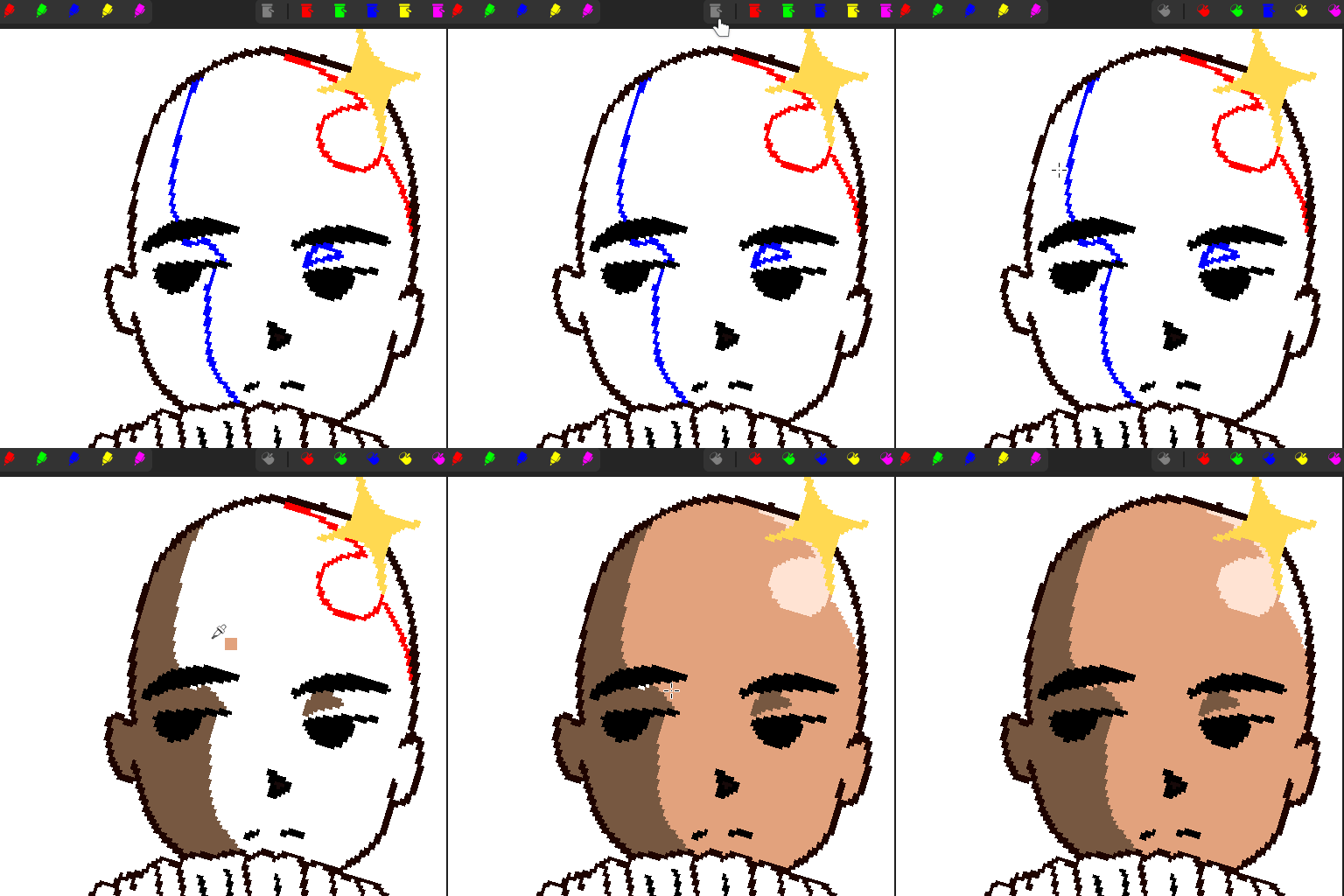
New Smart Intelligent Color Detection for auto-line fill. if lines are drawn with any of the 5 predefined colors marked for fill.those lines will also be filled.so no need to fill,then worry about “How do i get rid of these guides for the shadows/Highlights “. This was inspired by Retas Paintman.
Goes without saying we still have features like Replace Color, fill current layer/all, but we also have more newer ones like Ignore in fill,which ignored the desired color ,for example line arts color, and we also have SAME COLOR, which basically makes sure to only fill the color you initially click on,this is a needed child of the new Click and drag to continuous fill multiple regions.
Finally we have Multi Keyframe color fill.Last i tested this worked.but the app is going through its last revamp so I need to look into this again.
Timeline ——————————– :
Interaction with keyframes went through a revamp,I didnt like the old logic,we also have new range sliders controls.
Animation ——————————– :
Not to be confused with Timeline, this is the animation logic itself for keyframes.
I have Implement a tag system similar to Tvpaint, so you can tag layers and only show those layers Ui in the layers Ui for a cleaner session, or you could actually hide those tagged layers drawings from the canvas while animating . or do both. this is to make sure the animators workspace is never too cluttered.
Cell/keyframes :
this are totally different and heavily respect Clip studio paints logic. we are using an exposure system,so you could use one drawing on multiple frames,and if you don’t like the result,you only need to change any instance of one of those drawings,draw something new,and all other versions of that drawing automatically update.
The Timeline also has double click to manually put in a drawing number,its safe to delete all drawings on the timeline as a new CellBank system is in play for safety , but it also stores the drawings,so real deletion can be done here.
Undo/Redo ——————————–:
this might not seem like much but i quickly noticed this when trying pencil2d.
Inspiration (Clip studio paint), now…DURING a session, each drawing has its own undo/redo history. so for example.if you draw something on one keyframe,then draw on another,then return to that other keyframe only to find you wana undo some of what you just did.before it would undo all the work on that new keyframe as well before reaching the first one you drew one,now you could simply go to the new keyframe , and undo without it affecting anything else.
…PENDING…
Im currently working on cell Layers, Basically just like clip studio paint.Each cell can be made up of multiple layers.who each also have their own undo/redo history.
NEW LASSO TOOL. OH MY GOD THIS WAS A NIGHTMARE TO MAKE BUT SO WORTH IT.
Canvas Navigation in General had a revamp .More reliable and predictable similar to Krita.
For the sake of Consistency across Os,and also cause i had lots of rendering issues with the default one,the file browser is now a custom one built from the ground up like most if not all of this apps Ui,designed to do only whats needed,
im sure there are many things im not mentioning but this is just what i can remember, i been working on this since last year.and it was not the goal, i just wanted a feature or two then it began to spiral into its own thing.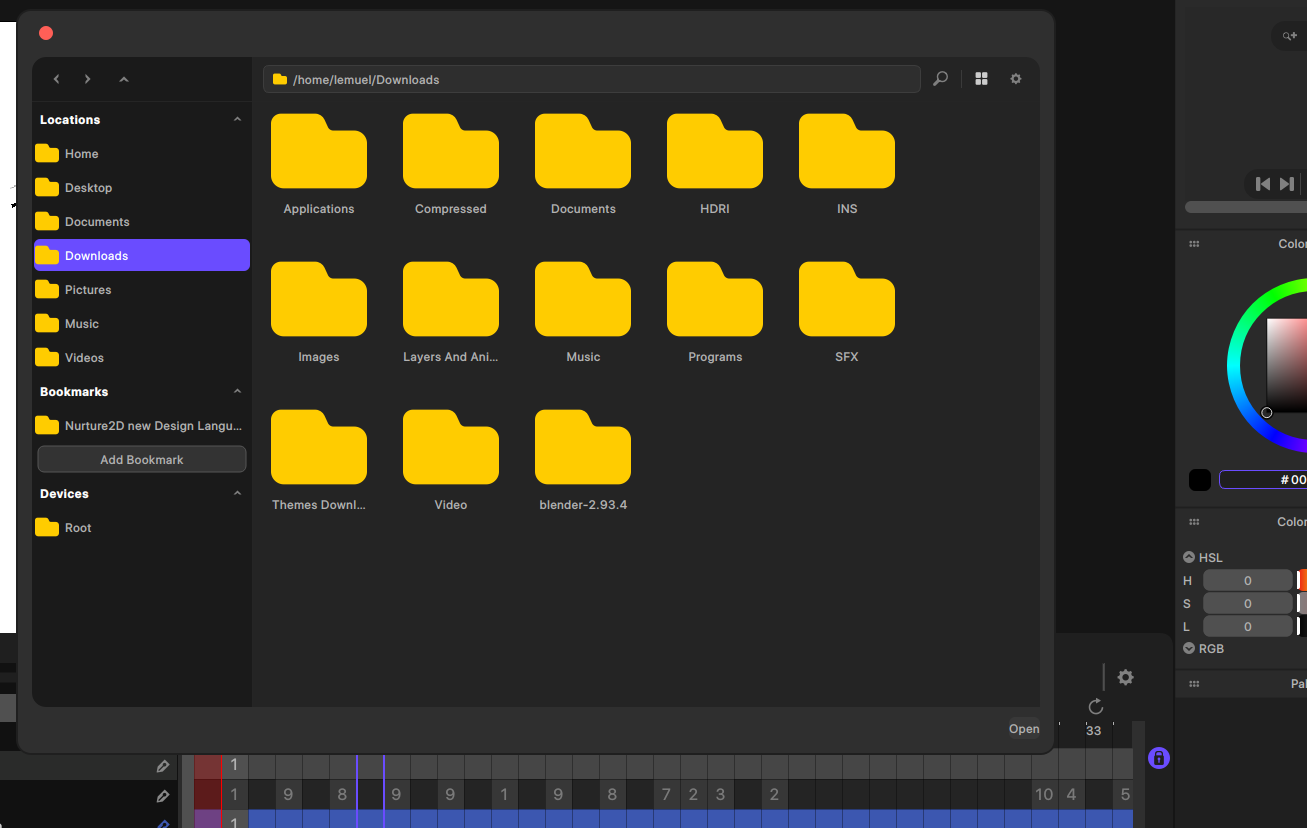
Ohh thanks, I hope this project goes well. I’m looking forward for it’s release :P
As for the brush size thing I don’t get what you meant but in Pencil2D, when you slide the adjuster (is that even what it’s called I don’t know anymore), the size increases or decreases in decimal numbers, but when you use the up and down arrows there, they increase or decrease by 1.0, when you hold shift during it, it’s ±10.0. If this is keeping this feature that’s also okay
If you’re talking about actual UI slider to adjust the brush size. I think the new Ui of the app was already designed with this in mind.
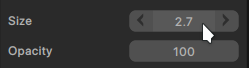
click and drag is a normal drag operation,the increase and decrease size buttons are also there,but only show themselves when the mouse is actually there, this is to keep a clean Ui design, clicking on the number turns the control into an input field to manually put in a value, Snapping to nearest values,for example, every 5-10 values is partially implemented should be possible via modifier keys like ctrl or shift,and from what i can tell it is, its just not finalized , the jump is based on current values instead of fixed values.for example.if we have logic to jump every 0.5 ,while on a value of 0.6 , the next value would be 1.1 instead of 1.0 .so the only thing i need to implement is Rounding to the nearest value. Sorry if this sounds to techy and cody. I’m not really sure what classifies as layman’s terms anymore
im about to implement it.the size value has a max of 30.so im thinking of having normal click and drag go to whole numbers. 1,2,3, holding control will make it jump to half numbers 1.0 , 1.5 , 2.0 etc..holding shift will make it jump every to the nearest 5th number, 1,5,10,15,20,25,30. and the increase and decrease buttons also jump to the nearest whole number. that okay?
REPORT:
please note that the “Changing Brush Size“ feature has been completed and marked as shipped. .
.
The control is widely used though out the app so expect any control of that type to work the same.
Alright thank you very much lol
I’m honestly intrigued. While I’m not a dev myself, I’ve been supporting the Pencil2D project for a long time. I know for a fact that half the stuff you added is very difficult to implement so I can only applaud you for this undertaking.
From and open source perspective, I would recommend (but it’s only my personal suggestion) that you make the source code a bit more easily available. If you don’t want Github’s Copilot to scan your code you can try hosting on GitLab instead.
My only real question is did you preserve the file type compatibility? or did you change the save file to suit your needs? Meaning, can I open a Pencil2D file in Nurture2D, or a Nurture2D file back in Pencil2D?
Now, speaking as an individual (so take my opinion as any other person’s worth), while it’s a bit sad that Pencil2D couldn’t cater to everyone’s immediate needs (due to a variety of reasons I won’t get into) and warrant the creation of your own project (which as an artist I can see why; respect), to me this kind of efforts embodies the true spirit of open source, where ppl give shape to their own vision freely.
Either way congrats and god speed 
Its looks awesome the UI interfaze and one question its avaible for windows 10 too? And besides this panel of brushes its not avaible now right?
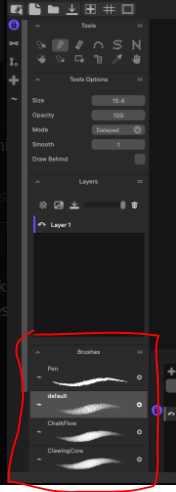
in the current legacy builds available it is not,but It is already in the Version I’m working on,cause the Initial image i posted was not concept art,it was a screenshot of the actual app as it currently is .and windows support has been dropped.the source code is available. No Promises but I’ll see what I can do about a Last windows build.
Thanks. And I don’t think it has Compatibility. Initially It did, But some of the new features need to have certain things present in save files in order to load all your frames properly etc .which the old format didn’t have.The old save logic was also a bit unstable and unsafe. not sure if I’m remembering correctly. but basically. it saved like this.
Get your frames and animation. Write to file.Save Complete.
the issue with this is that if the process gets corrupted. the frames could be lost.or the project itself might not open at all.
the new logic (Atomic Saving) does this.
First Create a Temporary location we can store our data. then work on that copy, then make the copy the current save.
This makes sure that even if something goes wrong,the project before the save is safe because the project is not what you saved(got corrupted), the copy is.
it also has a fail safe to try to import the frames it can even if it was corrupted.
Regarding Download sources. The Site is going through an overhaul. all packages are compressed into a single file so I dont think github can see much.
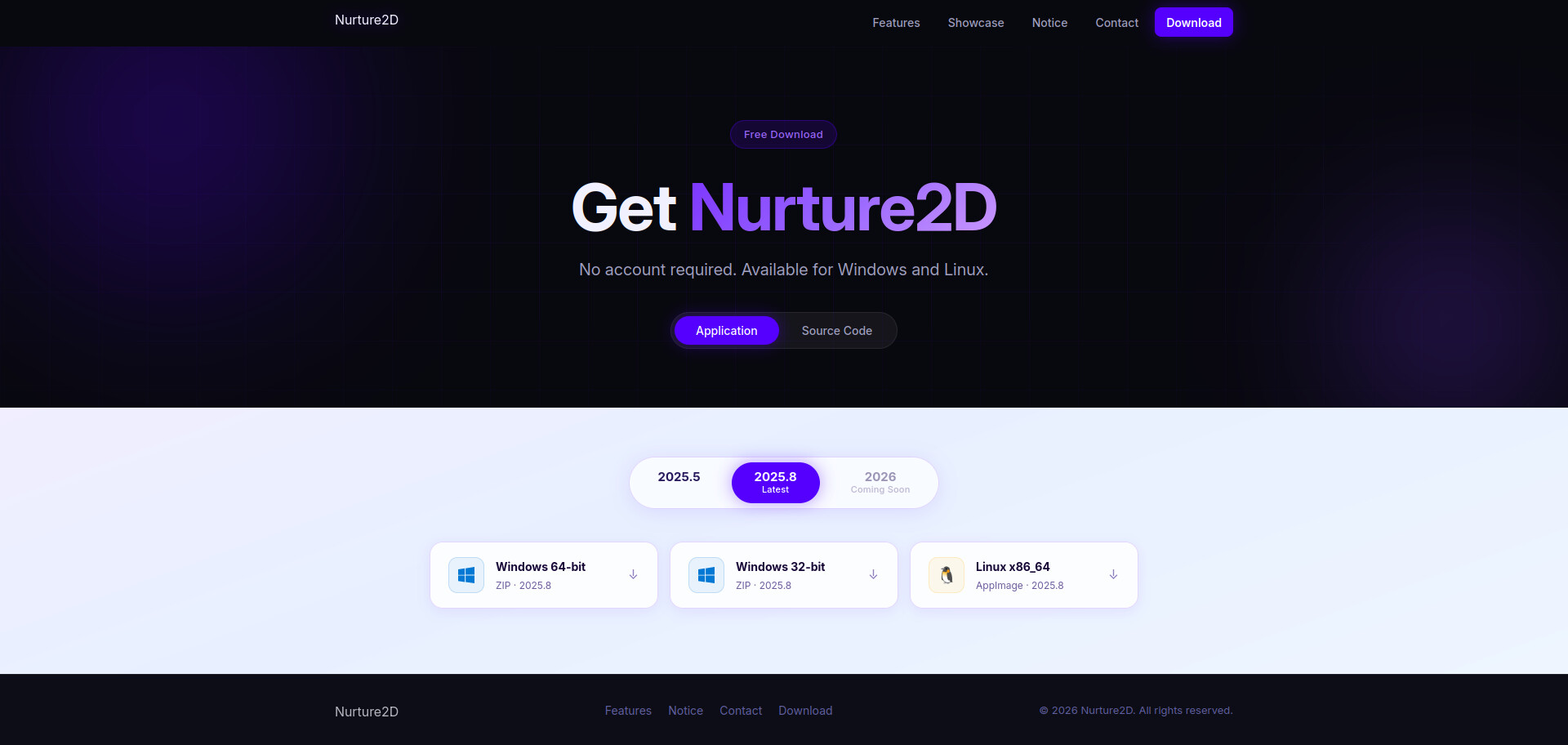
the current version I’m working on is 2026.the one coming soon
A snippet of the coloring features inside N2d.