the selection box just vanishes when I make a new or duplicate a frame. because it didn’t do this in an earlier version I’ve been using the outdated 0.6.6 for years instead of using the latest version. it was really convenient & fast to not have to reselect something every single time I made the next frame and I ask if in the next update they can make it so the select box not go away when I make more frames. I’ll probably keep using version 0.6.6 until then. thank you!
Hi Niene1_Creator
Having the selection persist across frames was considered a bug and a temporary fix was made in 0.7.x to fix it. This is a classic case of: x becoming a feature to someone, even if it is a bug. 
Can you share a bit more how you used the feature? Is it simply for moving multiple frames around or a quick and dirty way to create a selection around the same area? Depending on your answer, I might be able to figure out a way to re-create the feature.
If it’s for the former, have you checked out “Reposition selected frames”?
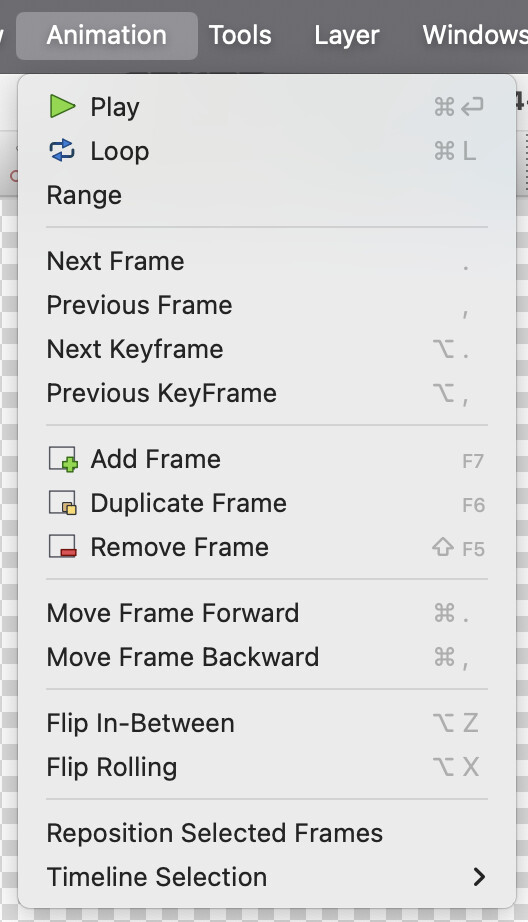
Also I really would like to encourage you to use the latest release regardless. Is it both more stable and more performant than any of the previous releases.
so here’s my best attempt at making a showcase video of what this select box thing was about was https://drive.google.com/file/d/1NnfEcmo2IeD487nkDUV0yO0DbsTF4wk0/view?usp=sharing it would be really nice if there was some way to replicate the select box persisting in the modern version of pencil2d. thank you even if you can’t find a way to help.
If you keep the thing you want to select as the only content on the layer, then you can select it quickly with the Select All action (Ctrl+A by default). Perhaps a little bit less convenient, but as @MrStevns has said, this was an intentional change because the selection transformation wasn’t being automatically applied, which caused all sorts of problems for users. I’m assuming this is the reason why you’re switching to the pen tool in your video.
So your new sequence should be Ctrl+A, <transform your selection>, J, which is actually simpler than what you are currently doing. However, there are still issues with automatically applying transformations, so this doesn’t actually work right now. It will work if you add an Enter press before duplicating (or even switch to the pen tool if you prefer), but hopefully we will fix this at some point so that step is not necessary.
I switch to the pen tool before duplicating just to deselect the move tool which doesn’t bother me since N is right next to J & M. I also don’t remember any major problems happening when the selection tool was persisting through frames when I selected the pen tool before duplicating the frame. I don’t think I understand what “automatically applying transformations” is supposed to mean but thanks for the information!
This topic was automatically closed 28 days after the last reply. New replies are no longer allowed.