it really confuse me to set it to rotate clockwise or counterclockwise
Unfortunately there’s no way to do that right now. It will rotate from the angle on the first key to the angle on the second key. And this angle is measured from the positive x axis (from the center of the camera) going counter clockwise. Put another way, it will rotate in whatever direction does not cross the positive x axis line.
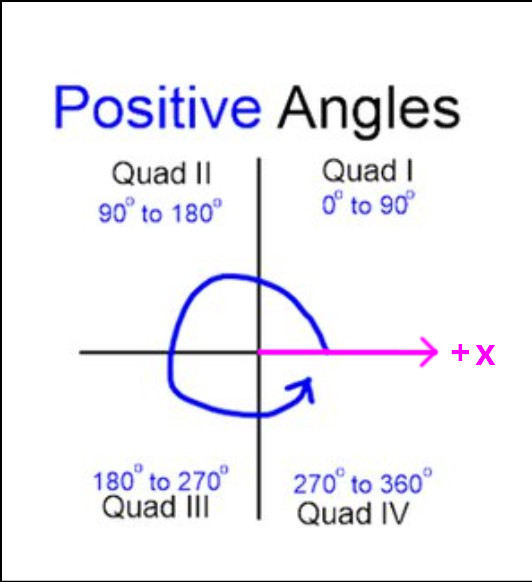
I agree it’s not very intuitive, and there should be a way to manually set it. I would expect it to take the shortest direction by default. Hopefully such improvements will be made in the future. For now, if you want to rotate in a direction that crosses the positive x-axis, you will have to manually make and position keys immediately before and after crossing the line.
1 Like
i see , thx for the answer