How to fill the white space in pencil 2d 
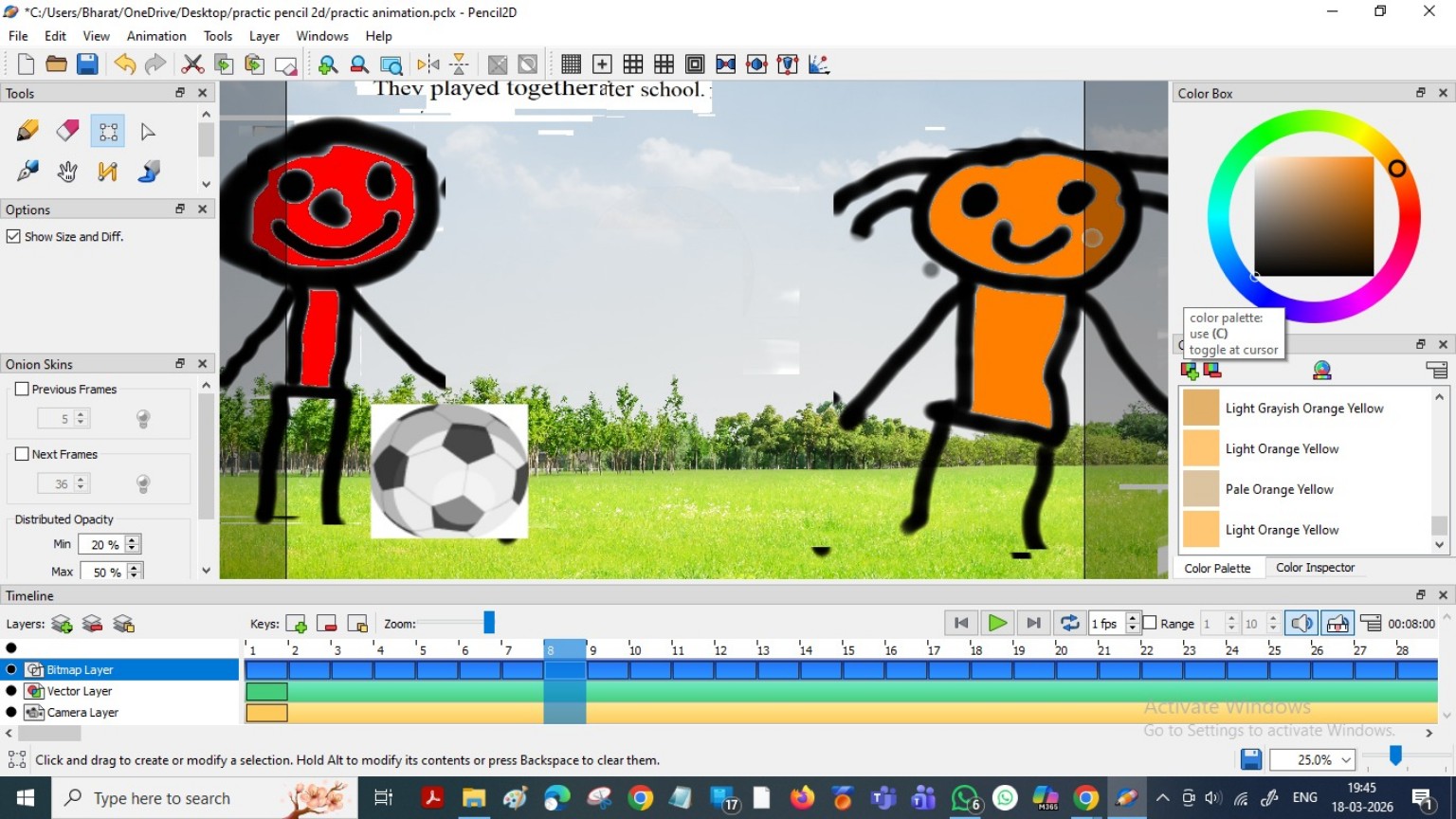
You have to remove portions of the image you do not want or find an image that already has a transparent background. You can use the eraser tool to erase parts of an image. As a more advanced technique, you can also use the paint bucket tool with blend mode set to “Replace” and the current color set to fully transparent.
It looks like you are doing everything on the same layer, which means your image will overwrite the background underneath, and erasing will erase both the imported image and anything that was underneath it. You should keep your background on one layer and your characters/objects on at least one layer above it. When you erase on one layer, the layers below will be visible where you erased.